
 See Our Latest Article on HelloNation
Why can technology use contribute to neck pain?
Technology does not automatically cause neck pain, but prolonged screen use can place the neck and upper back in stressful positions. The most common problems come from holding the head forward, looking down for long periods, keeping the shoulders raised, or staying in one position without movement.
The head is designed to balance over the spine. As it moves forward, the muscles at the back of the neck must work harder to support it. Over time, this may lead to muscle fatigue, stiffness, headaches, aching between the shoulder blades, or discomfort that extends into the shoulders and upper back.
A person may notice symptoms after several hours of computer work, repeated phone use, gaming, online classes, or watching videos. In many cases, the issue is not one individual posture but the combination of posture, duration, repetition, and insufficient movement.
Which devices are most likely to aggravate neck discomfort?
Phones and tablets often create the greatest challenge because they are commonly held below eye level. This encourages the head to bend forward and the upper back to round. Reading messages, scrolling, or watching a video may seem easy, but the position can become stressful when maintained for 20 or 30 minutes at a time.
Laptops can create a similar problem. The screen and keyboard are connected, so raising the screen to a comfortable viewing height usually raises the keyboard too. Keeping both at an ideal height is difficult without separate equipment.
Desktop computers are not automatically better. A monitor placed too high, too low, or off to one side can cause repeated neck rotation or tilting. A keyboard positioned too far away may also encourage reaching and shoulder tension.
Technology-related discomfort may involve more than the neck. Common associated symptoms include:
- Tightness across the upper shoulders
- Aching between the shoulder blades
- Reduced ability to turn the head
- Tension-type headaches
- Tingling or numbness in an arm or hand
- Jaw clenching or facial tension
- Lower-back discomfort from prolonged sitting
Is “text neck” a medical diagnosis?
“Text neck” is a popular description for neck discomfort associated with looking down at a mobile device. It is not a specific medical diagnosis. The phrase can be useful for describing a pattern, but it should not suggest that every case has the same cause.
Neck pain can also result from an injury, arthritis, nerve irritation, muscle strain, sleep position, stress, or other health conditions. Research on device use and posture shows that phones, tablets, and laptops can increase neck flexion and upper-body strain, but posture alone does not explain every person’s symptoms.
A useful distinction is the difference between an awkward position and a sustained position. Even a reasonably aligned posture can become uncomfortable if held without changing for too long. The body generally tolerates movement and position changes better than prolonged stillness.
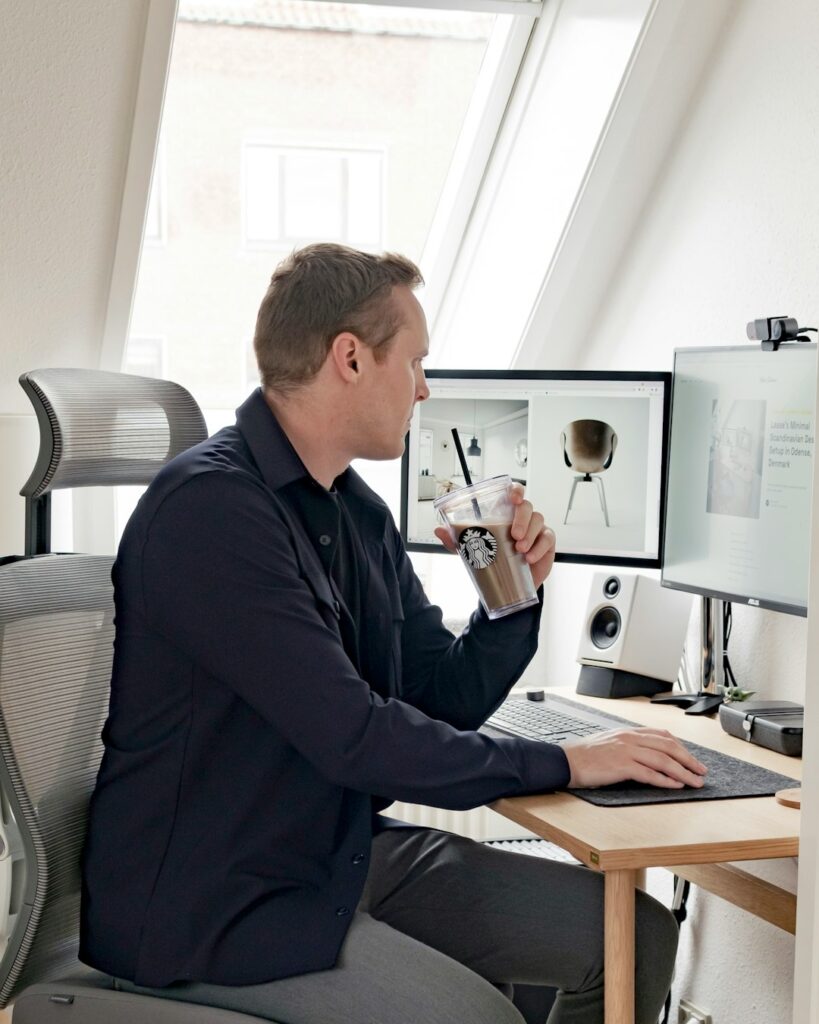
How should a home workstation be arranged?
A few adjustments can reduce unnecessary strain:
- Place the main computer screen directly in front of the body.
- Position the top portion of the screen near eye level, adjusting for comfort and vision needs.
- Keep the screen close enough that reading does not require leaning forward.
- Allow the shoulders to remain relaxed rather than lifted.
- Keep elbows near the sides and forearms supported when possible.
- Place the keyboard and pointing device within easy reach.
- Use a chair that allows the feet to rest securely on the floor or on a stable support.
- Avoid working with a laptop balanced on a couch, bed, or lap for extended periods.
A laptop stand or other method of raising the screen can improve viewing posture, but the keyboard may then need to be used separately. The goal is not to create a rigid “perfect” position. The goal is to reduce extreme angles and make regular movement easier.
People who work from home in area households may move between a dedicated desk, kitchen table, couch, or bedroom. This flexibility can be useful, but improvised setups often place screens too low or too far to the side. A short-term arrangement may be reasonable for occasional use, while a daily work setup deserves more attention.
How can phone use be made easier on the neck?
Hold the phone closer to eye level instead of resting it near the waist or lap. Support the arms when possible so the shoulders do not remain elevated. For longer reading or viewing sessions, use a larger screen at a more suitable height.
Voice-to-text and hands-free calling can reduce the need to look down continuously. Switching hands may help distribute strain, although changing sides does not replace breaks. Short periods of standing, walking, or looking into the distance can interrupt the cycle of sustained neck flexion.
Avoid cradling a phone between the ear and shoulder. This places the neck in a side-bent position and may increase muscle tension. Use a neutral position or a hands-free option for longer conversations.
How often should someone take a break?

There is no single break schedule that works for everyone, but frequent brief changes are generally more useful than waiting until pain becomes strong. Every 20 to 30 minutes, change position, relax the shoulders, move the neck gently, or stand for a moment.
A practical routine may include:
- Looking away from the screen regularly
- Rolling the shoulders slowly
- Turning the head gently within a comfortable range
- Walking to another room
- Alternating between sitting and standing
- Stretching the chest and upper back without forcing the neck
Movement should feel controlled rather than aggressive. Avoid repeatedly stretching into sharp pain, numbness, or electrical sensations.
Winter habits can also affect screen-related discomfort in Grand Island, NY. Colder months often mean more time indoors, heavier clothing, less outdoor activity, and longer periods of computer or phone use. Keeping work areas comfortable and building brief movement into indoor routines may help prevent stiffness from accumulating.
When does neck pain need medical attention?
Neck discomfort that is mild, clearly related to prolonged positioning, and improving with movement is often manageable with activity changes and observation. Persistent or worsening symptoms deserve medical evaluation, particularly if they interfere with sleep, work, driving, or normal movement.
Prompt medical attention is appropriate when neck pain:
- Follows a fall, collision, sports injury, or other significant impact
- Is severe or rapidly worsening
- Travels into an arm or leg
- Occurs with numbness, tingling, weakness, or loss of coordination
- Is accompanied by fever, severe headache, dizziness, or unexplained illness
- Causes problems with balance or bowel or bladder control
Technology may be contributing to a symptom pattern, but it should not be assumed to be the only cause. A careful evaluation can help distinguish ordinary muscle fatigue from nerve involvement, injury, or another condition requiring specific care.
What is the most useful way to think about screen-related neck pain?
The most helpful approach is to focus less on finding a perfect posture and more on reducing prolonged strain. Raise screens when practical, keep frequently used devices near eye level, support the arms, and change position before discomfort becomes intense.
Neck-friendly technology use is usually a habit of adjustment: move the device, move the body, and avoid spending long periods in one fixed position. For local residents balancing remote work, school responsibilities, household tasks, and winter indoor routines, those small changes can make screen use more comfortable without requiring complete avoidance of technology.
